Collect TikTok Ads Data into Google BigQuery

Own your TikTok Ads data in Google BigQuery with OWOX Data Marts. Collect granular, analytics-ready data into BigQuery, control schema and refresh logic, and reuse it across BI tools and AI Insights.

Collect TikTok Ads Data into Google BigQuery

Own Your TikTok Ads Data

Load TikTok Ads data directly into your BigQuery and keep full control over structure, access, and updates.

Step 1: Create a Google BigQuery Data Storage

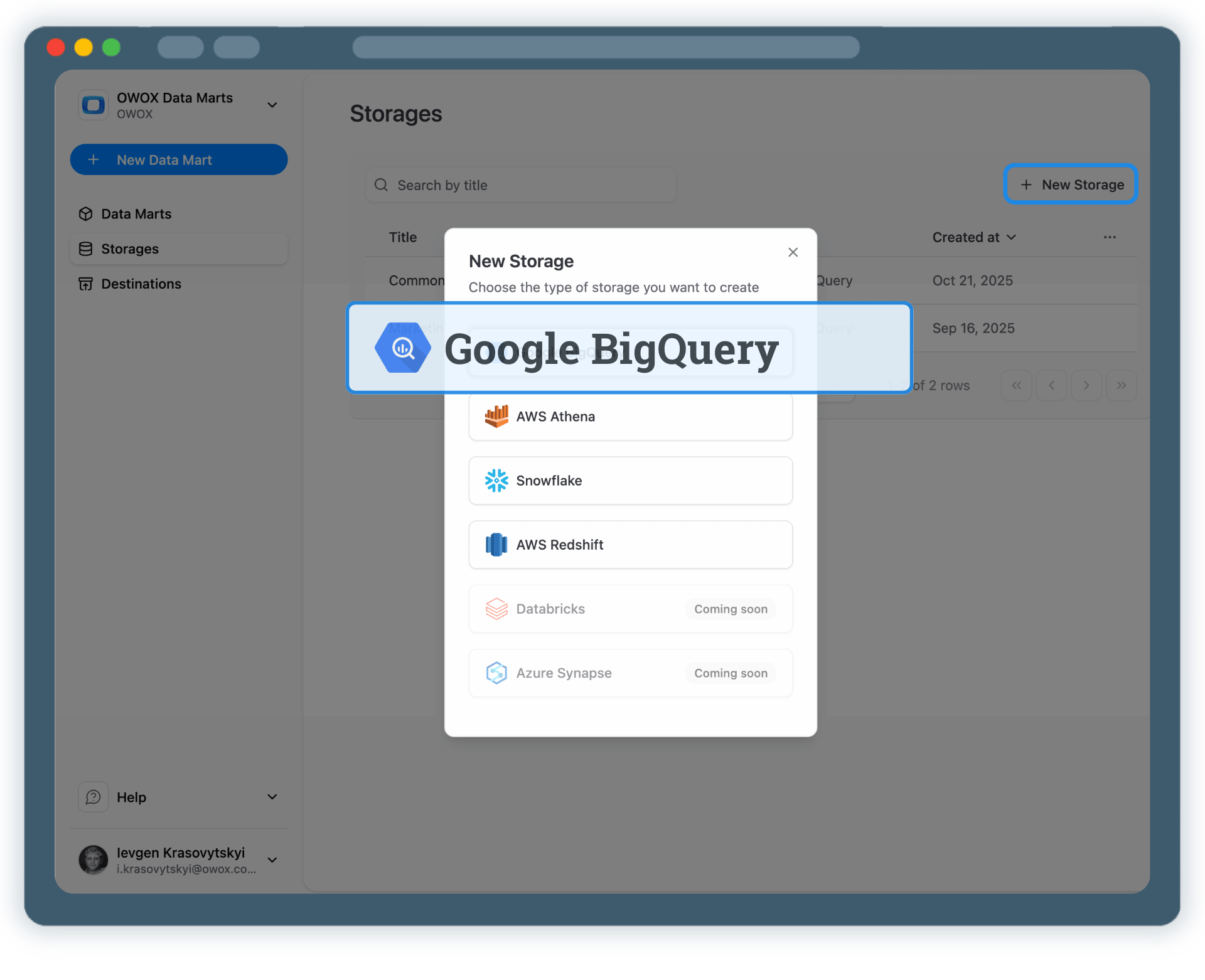
Start by connecting your own Google BigQuery project as a data storage.

  • Use your own BigQuery project and datasets
  • Keep full ownership of TikTok Ads data
  • No third-party data warehouses

BigQuery becomes your single source of truth for TikTok Ads analytics.

Step 1: Create a Google BigQuery Data Storage
Connect BigQuery
Step 1: Create a Google BigQuery Data Storage
Step 2: Create a TikTok Ads Data Mart

Step 2: Create a TikTok Ads Data Mart

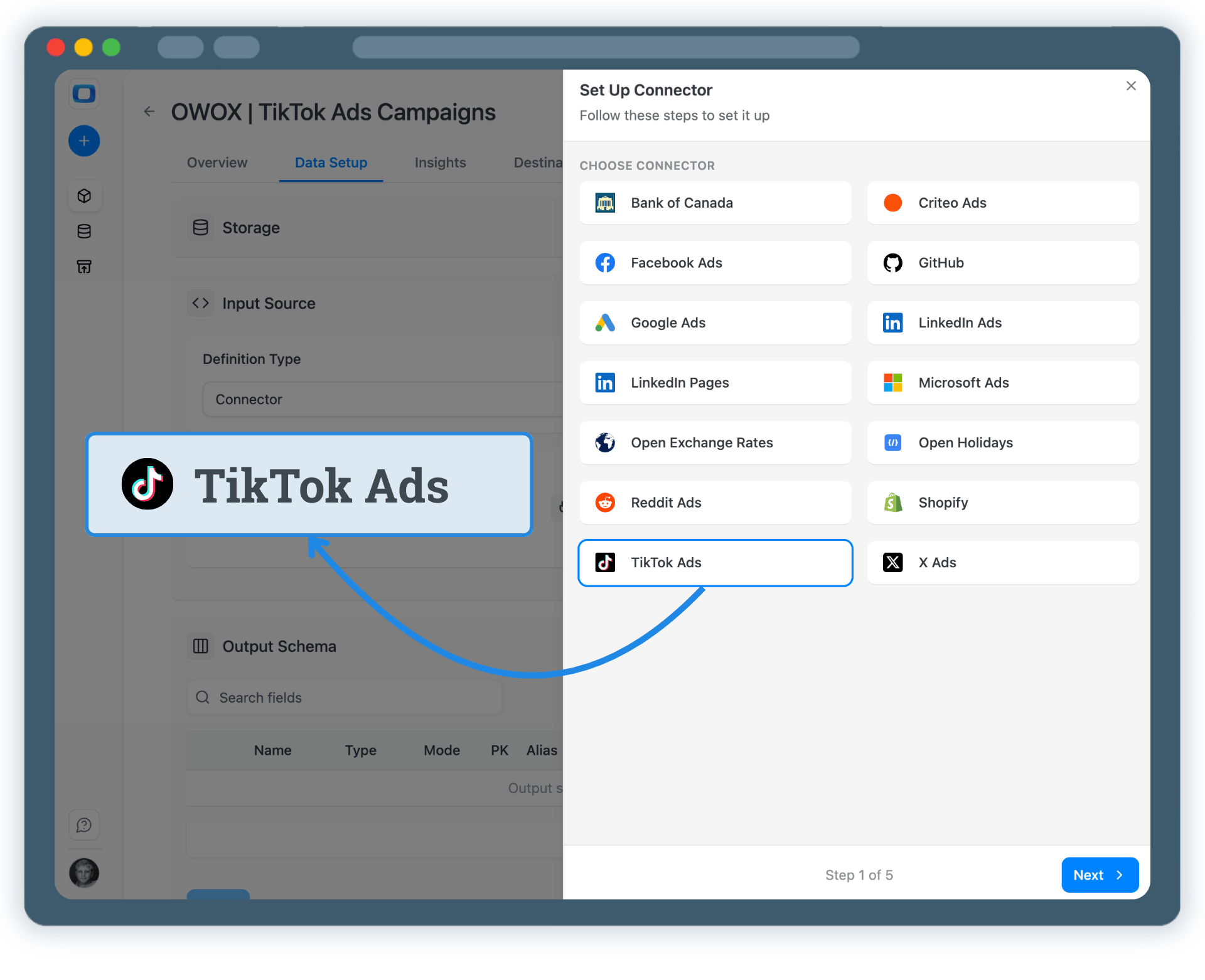
Create a new Data Mart and choose Connector as the definition type.

  • Select TikTok Ads as the data source
  • Provide the required connection details to access your TikTok Ads account
  • No API coding or engineering required

This defines the source for your TikTok Ads data collection.

Step 2: Create a TikTok Ads Data Mart
Create TikTok Data Mart
Request a demo

Step 3: Select Fields & Configure Data Import

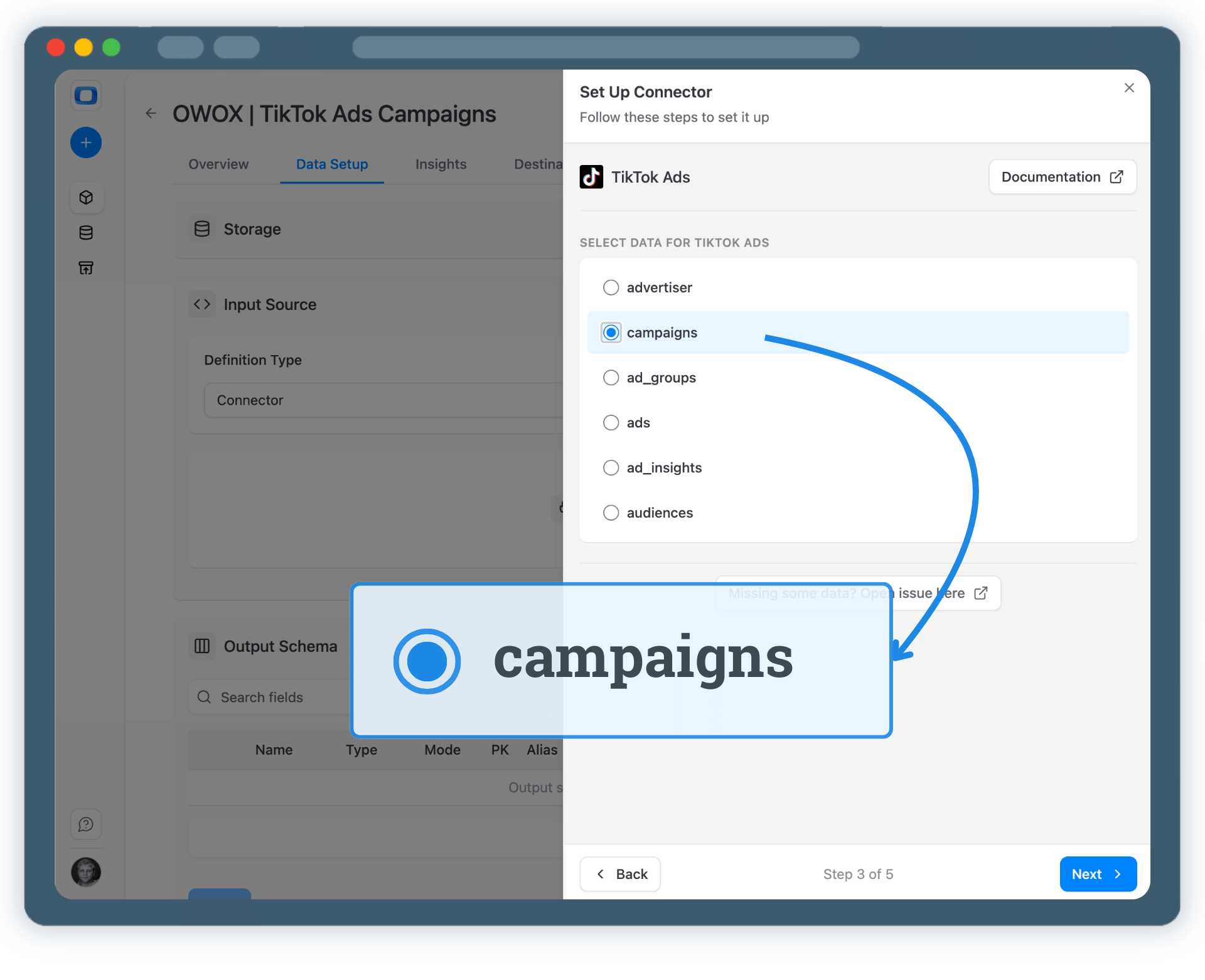
Choose exactly which TikTok Ads data you want to store in BigQuery.

  • Select one of the available endpoints (as in the platform API)
  • Select required fields like spend, impressions, clicks, and conversions
  • Set the destination dataset and table name in BigQuery (or keep defaults)

Click Finish, then Save and Publish the Data Mart.
Step 3: Select Fields & Configure Data Import
Configure Data Import
Step 3: Select Fields & Configure Data Import
Step 4: Run & Schedule TikTok Ads Data Collection

Step 4: Run & Schedule TikTok Ads Data Collection

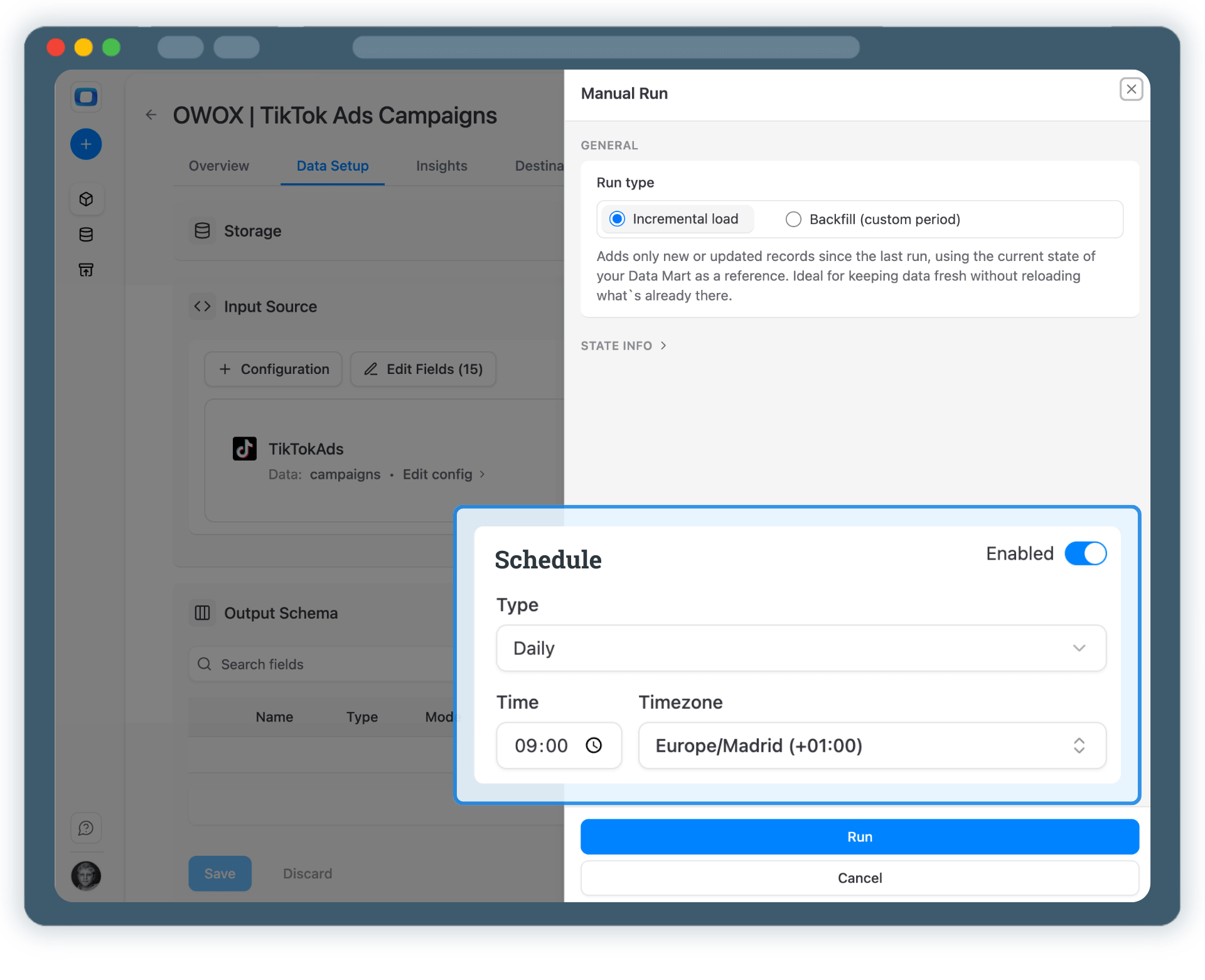
Once published, you can import TikTok Ads data manually or on a schedule.

  • Incremental load to import the current day’s data
  • Backfill (custom period) to load historical data for a specific date range
  • Track progress and status in Run history

After the first run, you can keep data fresh with scheduled updates.

Step 4: Run & Schedule TikTok Ads Data Collection
Run Data Mart
Request a demo

Step 5: Use TikTok Ads Data Across BI Tools & AI Insights

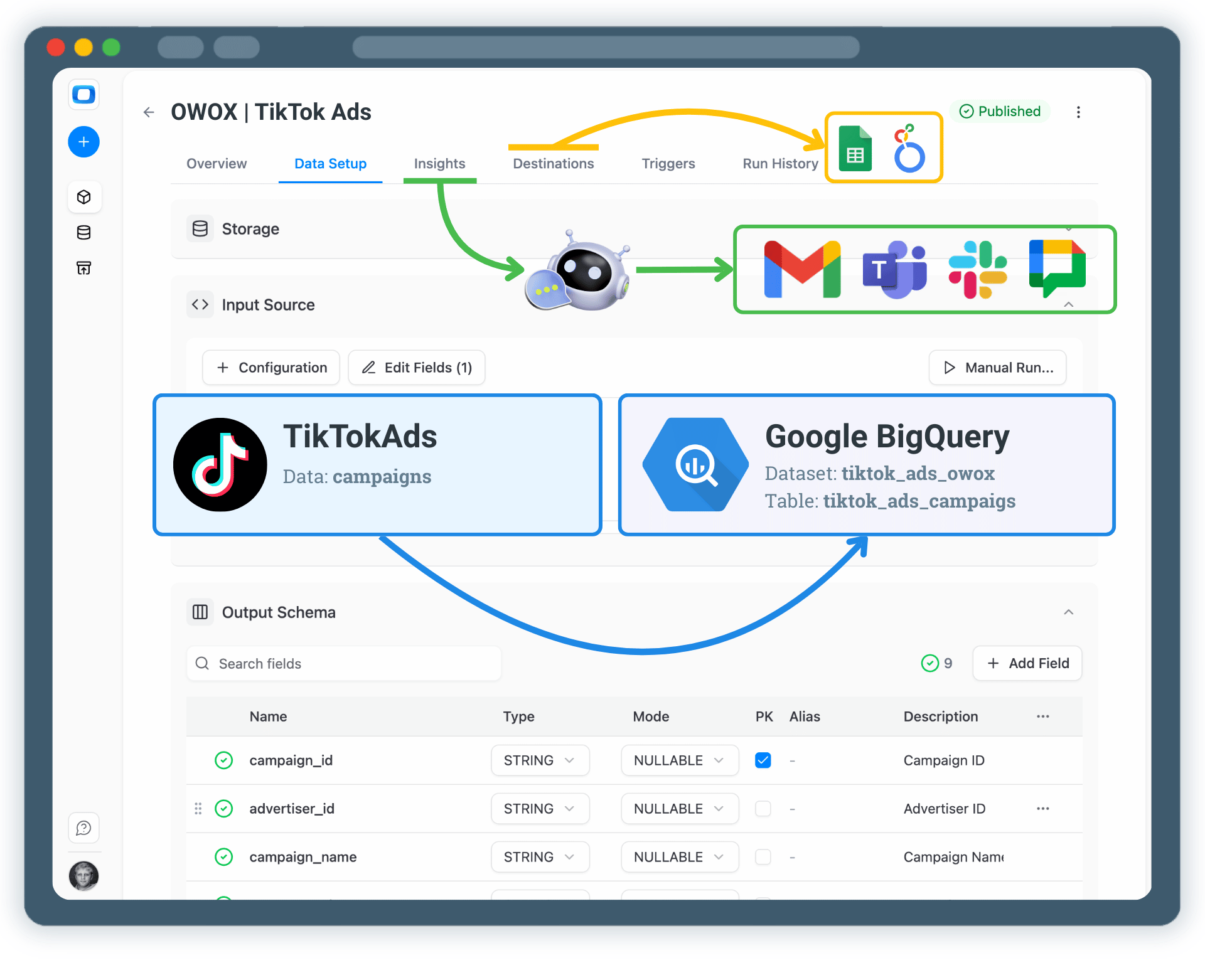
Your TikTok Ads data is now available in Google BigQuery.

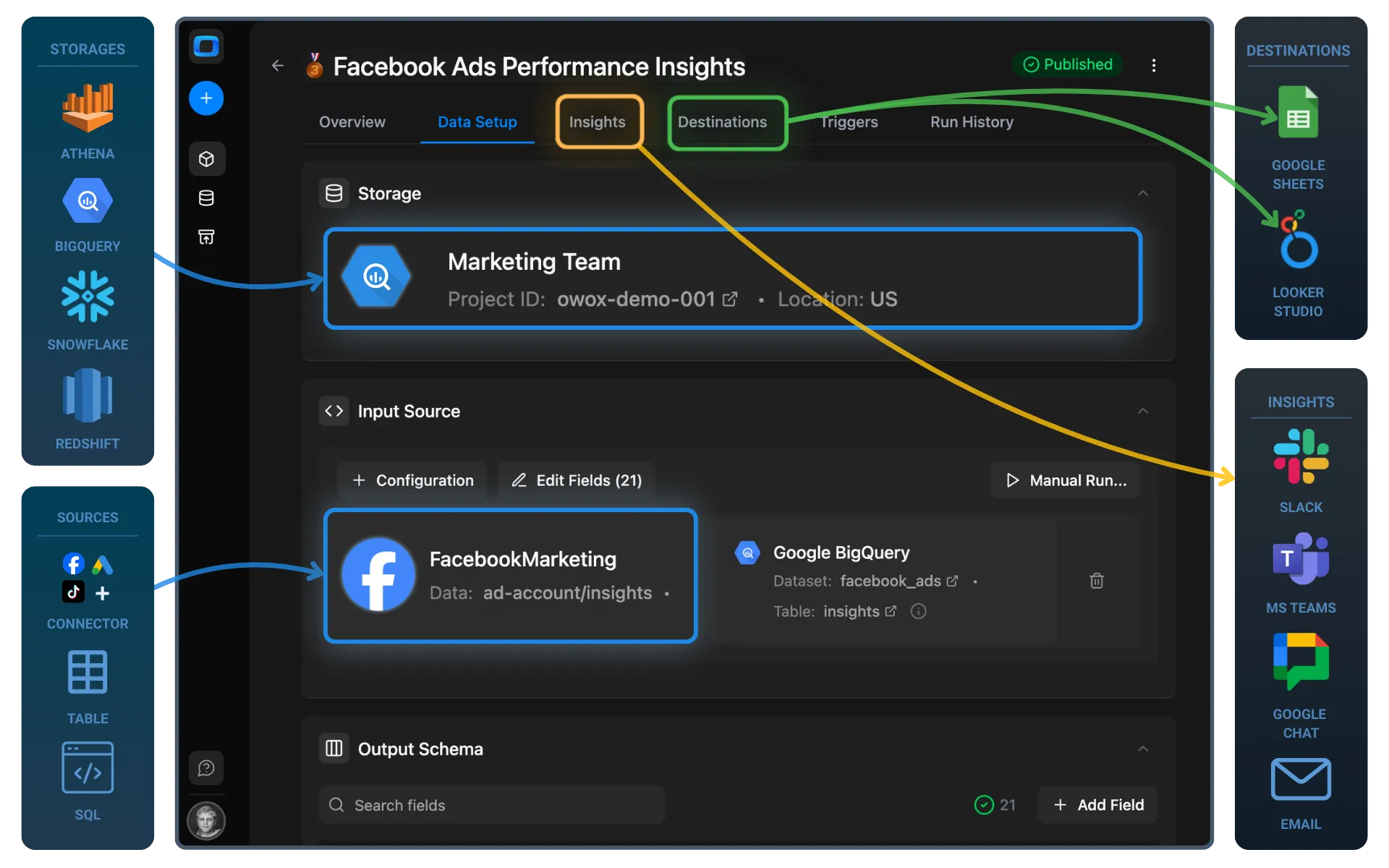
  • Analyze data in Google Sheets or Looker Studio
  • Join TikTok Ads data with GA4, CRM, or revenue tables
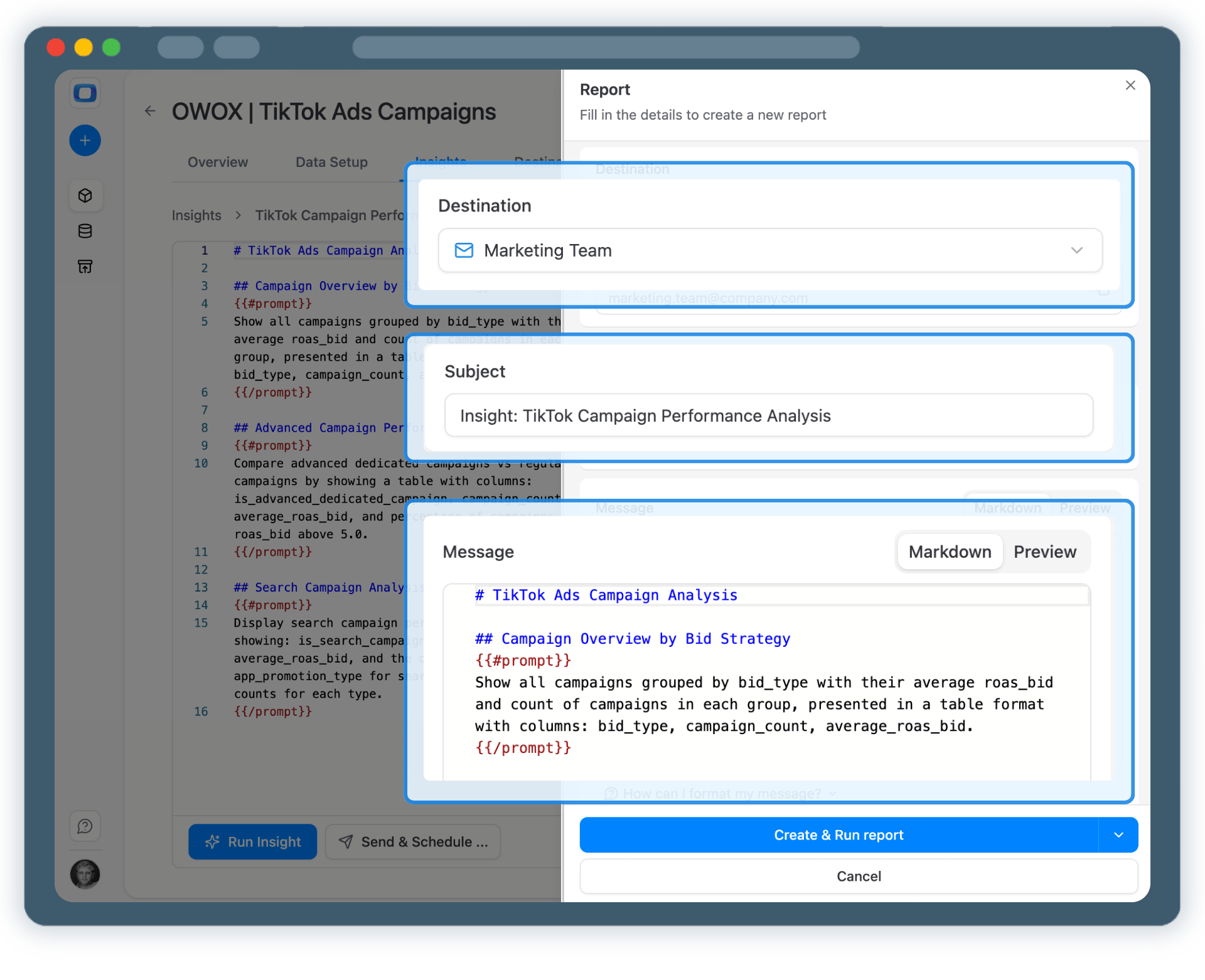
  • Enable AI Insights to ask questions or receive alerts
  • Schedule insights delivery to Slack or email

One dataset… multiple use cases.

Step 5: Use TikTok Ads Data Across BI Tools & AI Insights
Activate Your Data
Step 5: Use TikTok Ads Data Across BI Tools & AI Insights

Turn TikTok Ads Data into Business Decisions

Schedule a quick walkthrough to see how OWOX Data Marts helps you:
  • Collect TikTok Ads Data into Google BigQuery
  • Deliver trusted insights to business teams
  • Reduce reporting chaos & manual work
  • Scale analytics without adding complexity
Also, on this call, you’ll learn how data teams utilize AI Insights to always deliver what matters the most
Turn TikTok Ads Data into Business Decisions