
Your data team isn't slow – they're trapped rebuilding the same reports for every stakeholder. OWOX lets them build a shared data library once – and hand it off to business forever. No tickets. No exports. No hallucinated numbers.
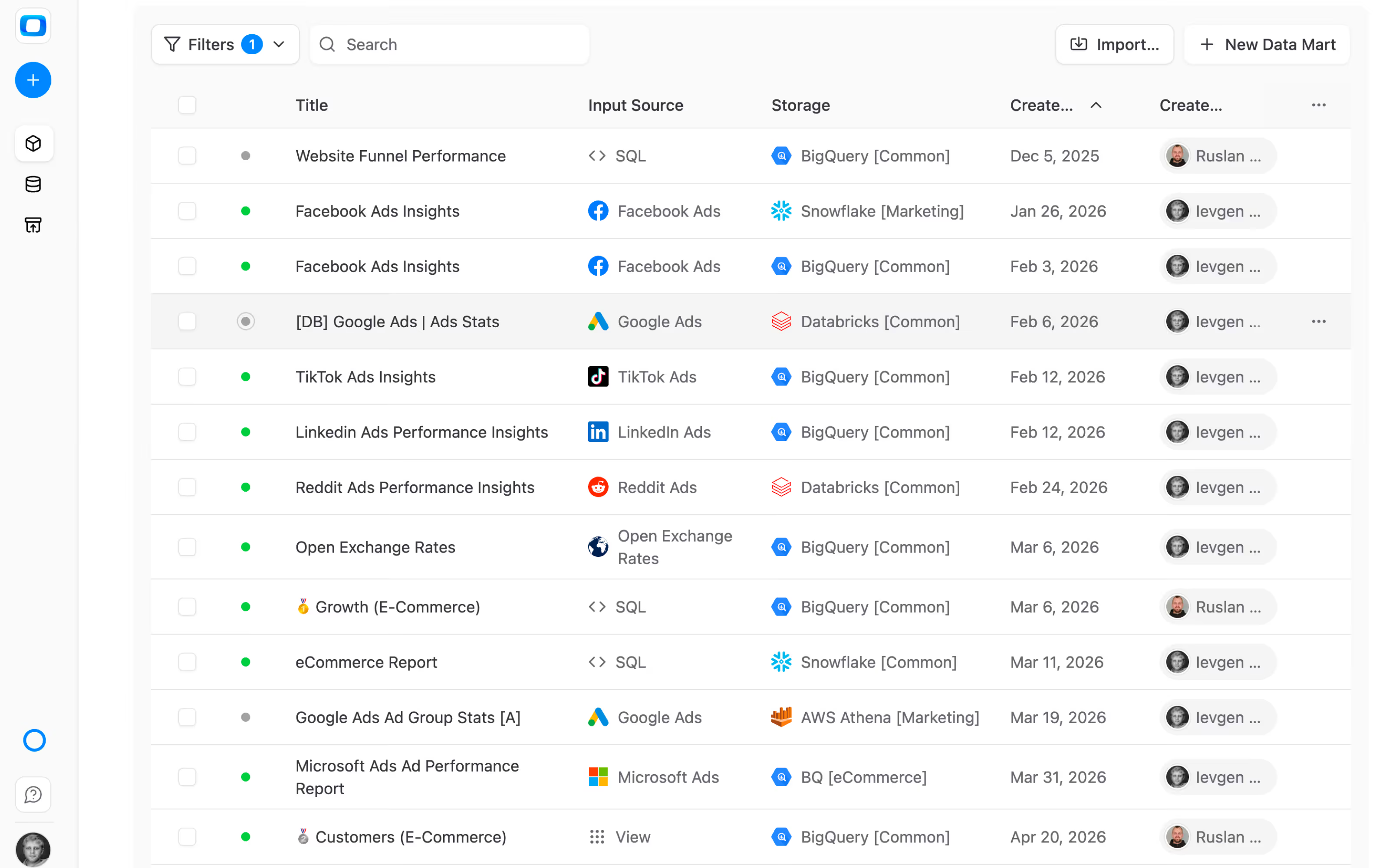

Most companies already do "self-service analytics." In ChatGPT, Gemini, or Claude — without analyst oversight. Here's what changes when analysts own the system.
The reporting backlog disappears because the hand-off is the product.
Get started free →OWOX turns your data warehouse into a self-service analytics system — defined once by analysts, consumed safely by everyone else in the tools they already use.
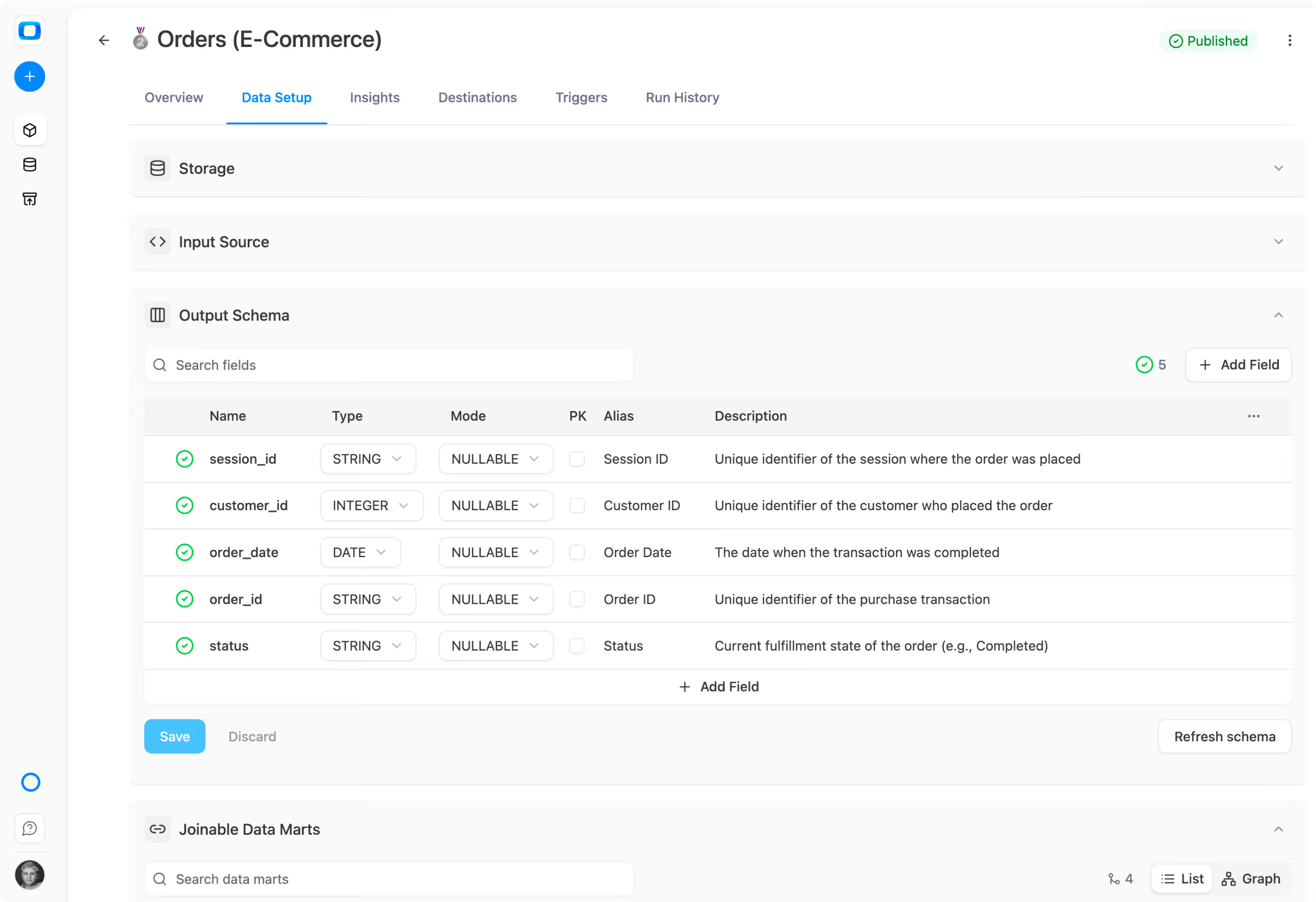
Create data marts library using SQL, existing tables, views or custom connectors. Set ownership, definition, context, access, and output schema once. Publish, share, re-use.
Marketing, sales, finance — pull from the same Data Marts in Google Sheets, Looker Studio, Slack, or email. No tickets. No waiting. No stale exports. & finally, a clean reporting backlog.
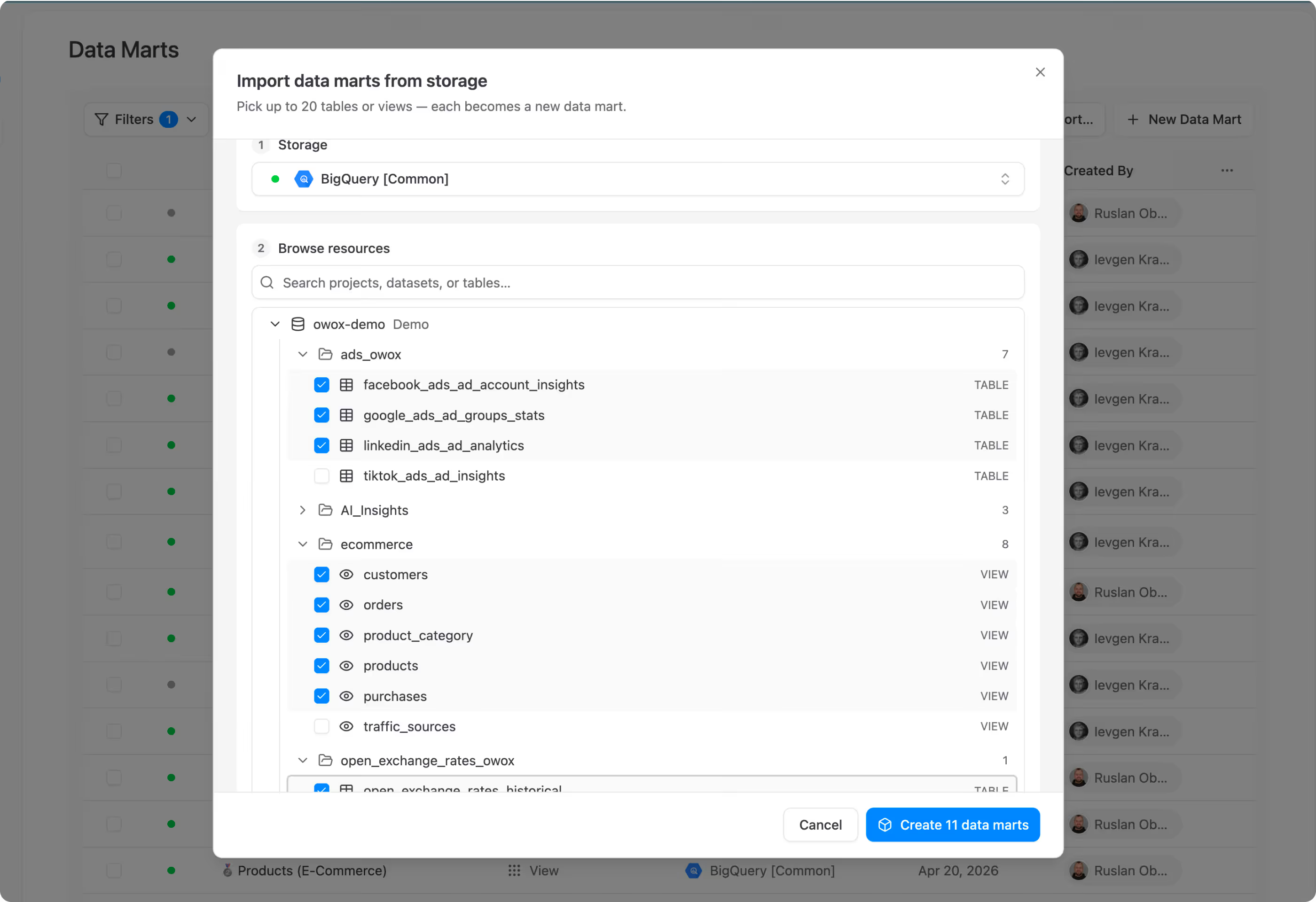
Pick tables and views from your warehouse — get a fully populated Data Mart library with descriptions, aliases, join keys, and ownership. All auto-generated.
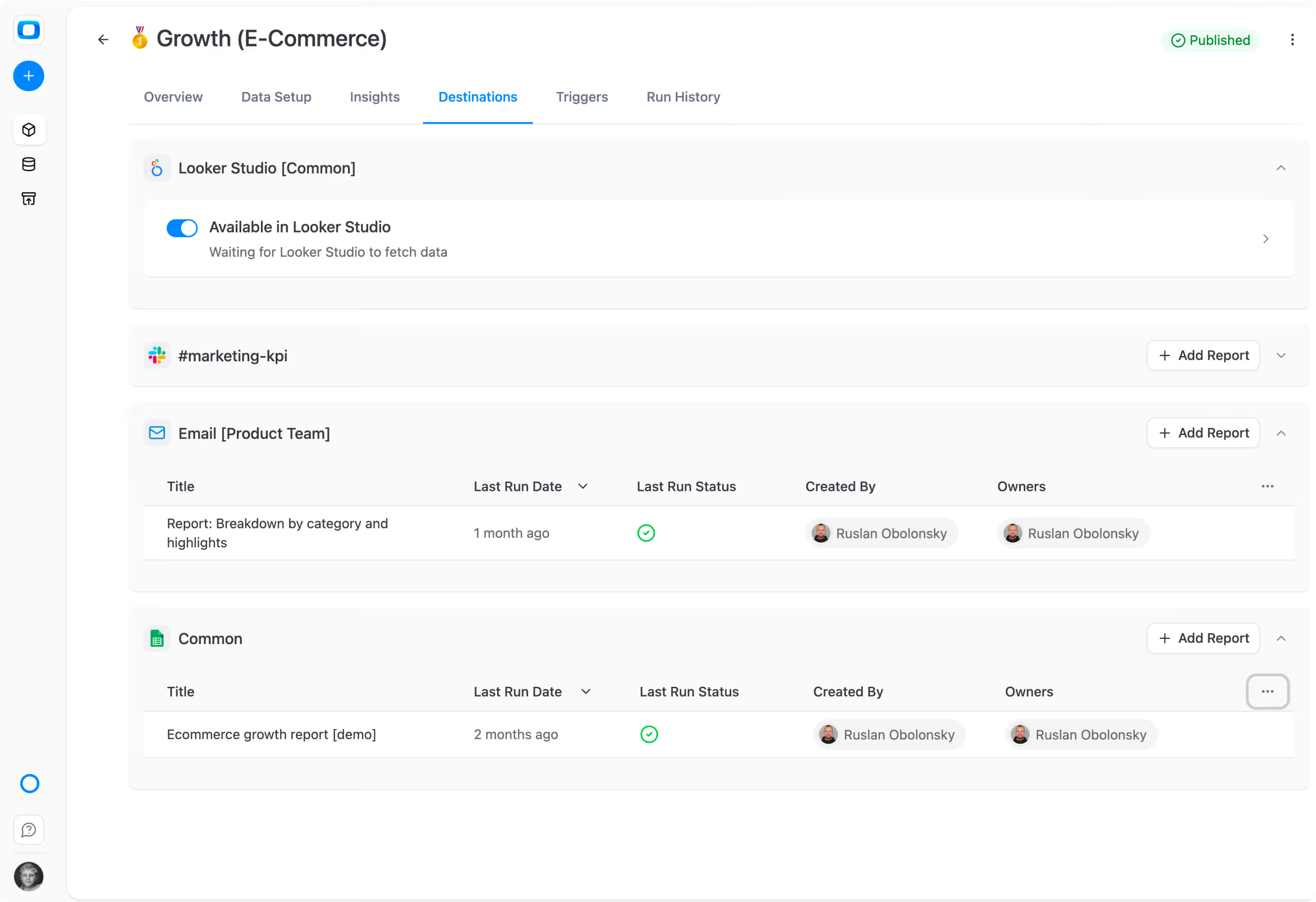
A single published Data Mart feeds multiple Google Sheets, Looker Studio dashboards, Slack channels, and email digests — simultaneously. Same SQL, same numbers everywhere.
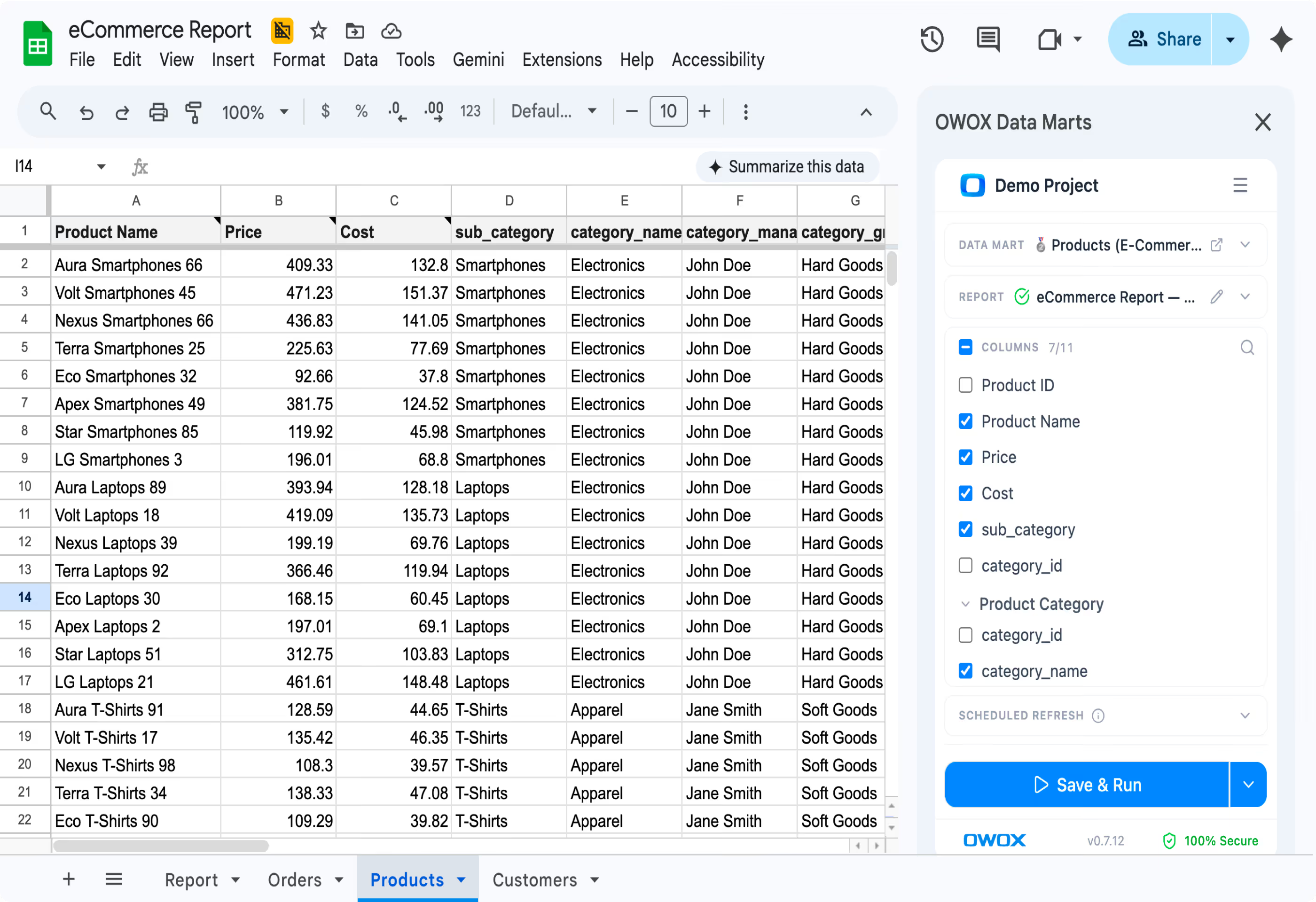
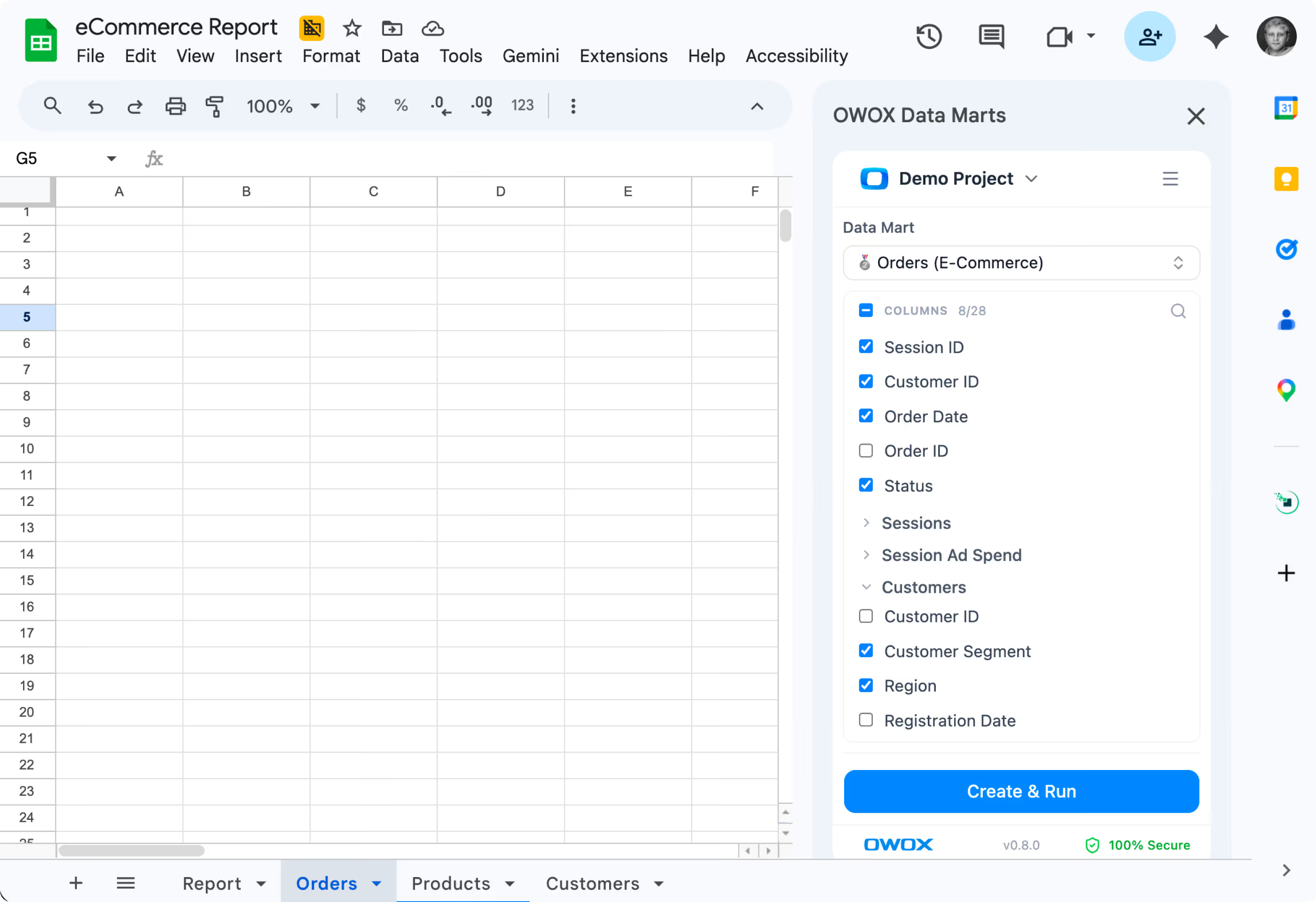
Business users browse the Data Mart library in Google Sheets, join Data Marts by analyst-defined keys, and pick the columns they need — no SQL, no tickets, no hallucinations.

Every team does “self-service” already – in ChatGPT, Claude, Gemini ad-hoc exports, or forwarded Sheets. Look how ot could be hallucination-free.
Build the library once. Publish it. Business users self-serve. You stay in control of definitions, ownership, and access.
Pick tables from your warehouse. Get a populated, governed Data Mart library — descriptions, aliases, keys, owners included.
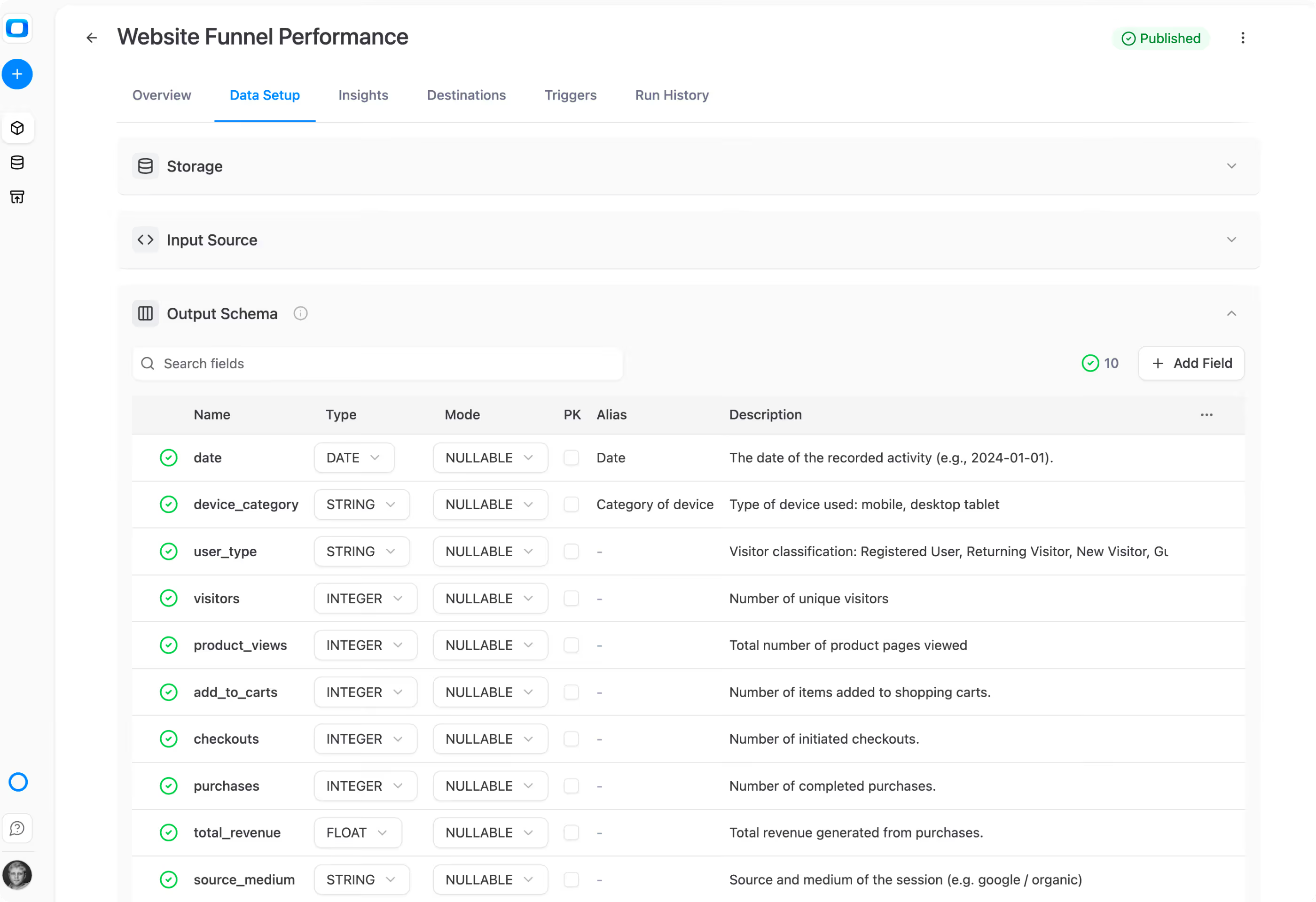
Never get blamed for a number you didn’t write. Every cell traces back to the SQL you approved.
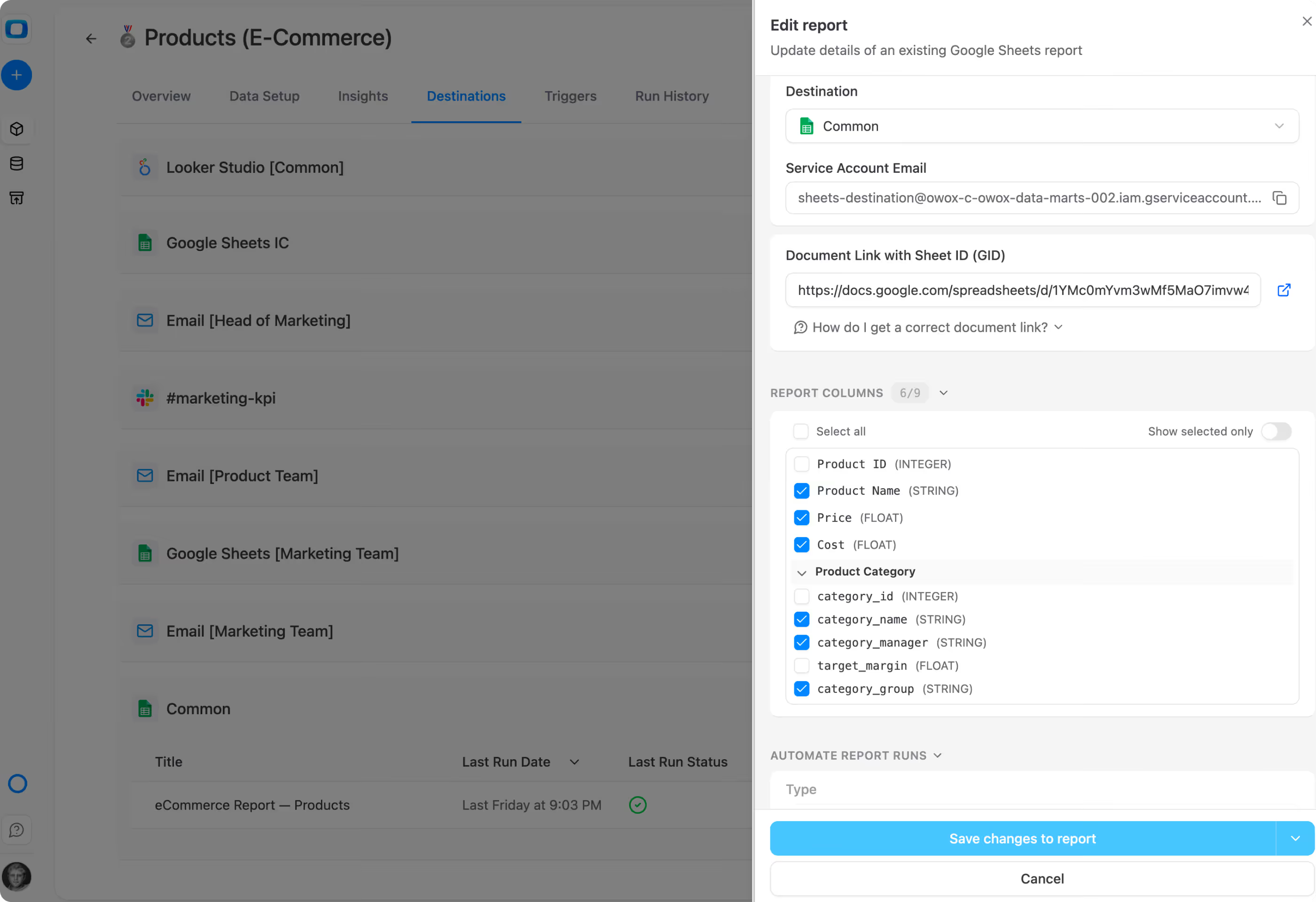
Data stays in your warehouse. Context-based access makes ownership obvious. Technical and Business Owners on every Data Mart.
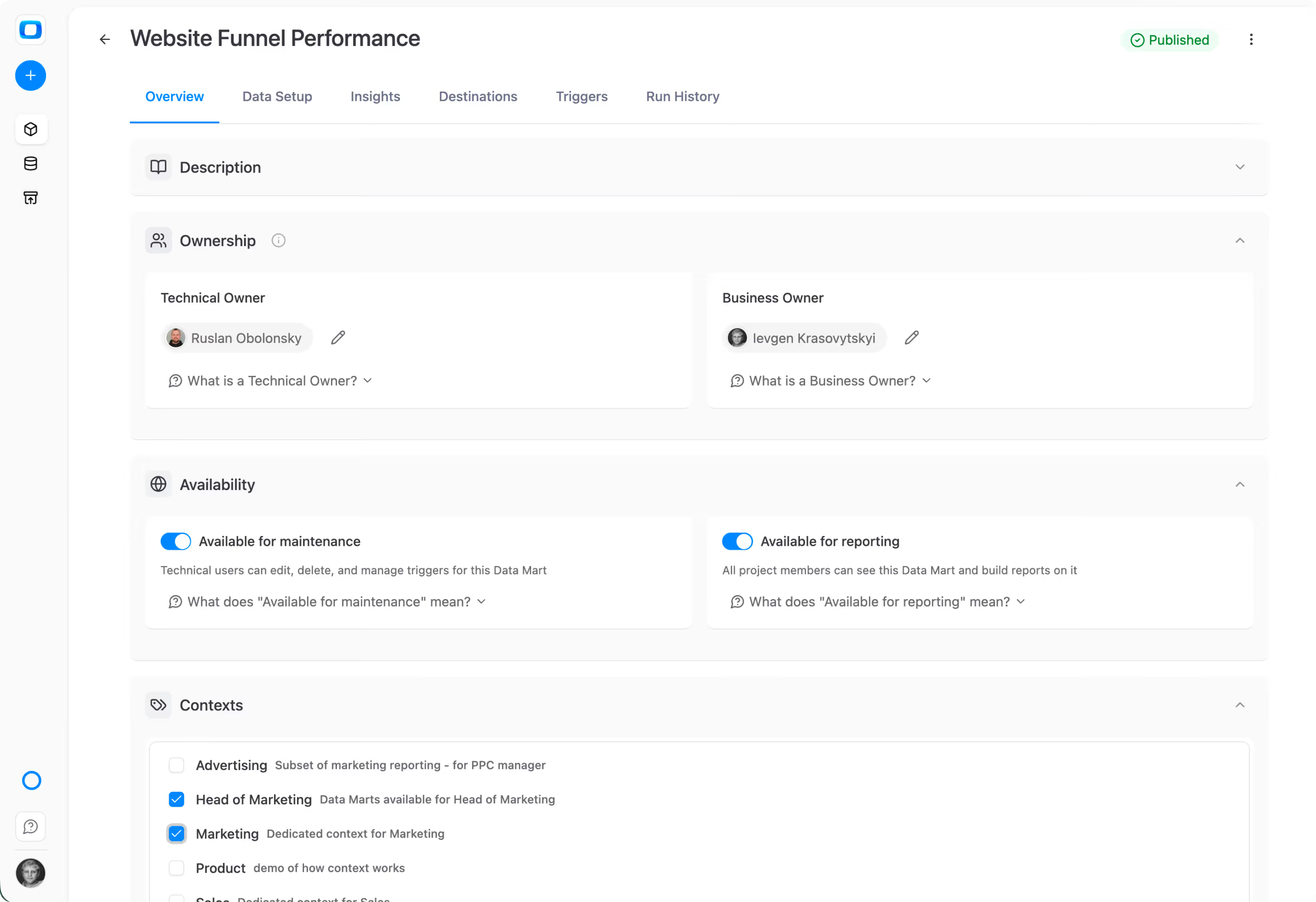
Self-serve from a Data Mart library inside Google Sheets. Add columns on the fly. Keep it fresh. No tickets, no exports, no hallucinations.
Browse the Data Mart library right from Sheets. Pick what you need from what you have access to.
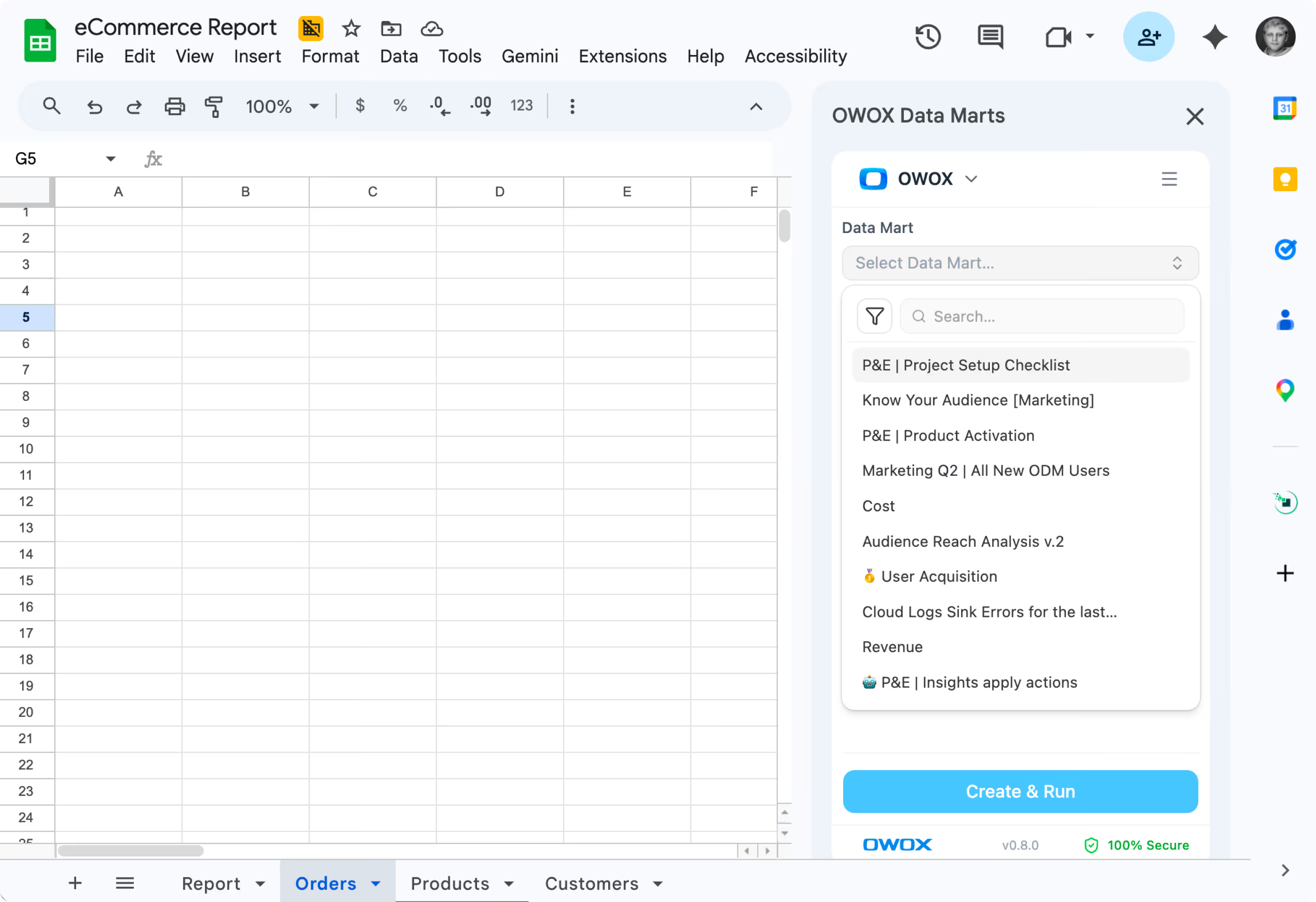
This is the first ever window to trusted corporate data right from Google Sheets UI with column-picker. Yeah, you can swap columns if needed as well.
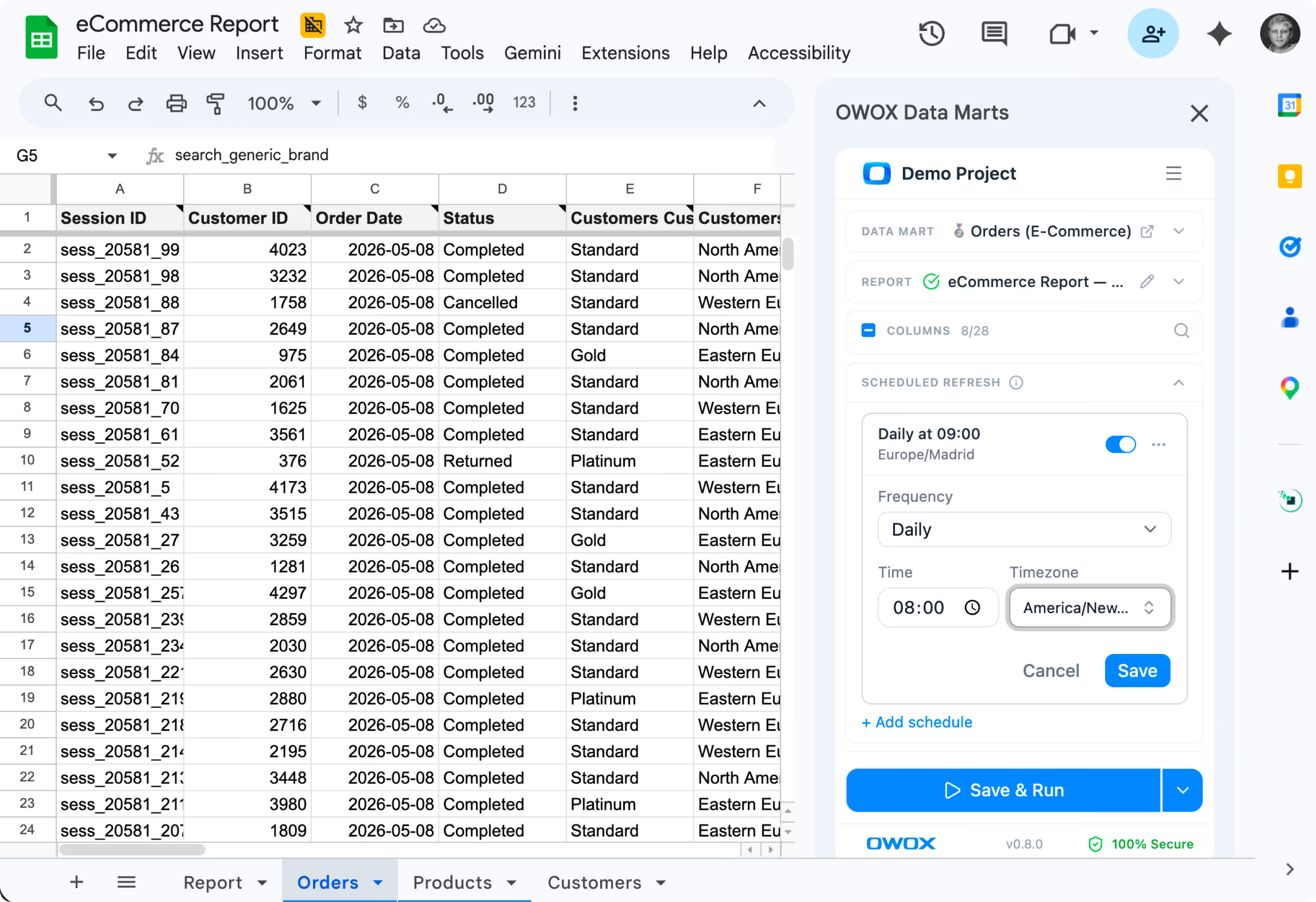
Schedule refreshes, apply filters, and stay live with your warehouse — all from inside Google Sheets.
Insights turn Data Mart output into recurring narrative reports — delivered to Slack, Teams, or email. AI drafts the prose. Your analyst approves the SQL. Every number is traceable.
Stats with comment threads attached — like a colleague verifying your numbers in a shared sheet.
Connected BigQuery, set up 37 data marts, built a data model and had live reports in Sheets in under 15 minutes. My team thought I was joking when I showed them how they can now get live reports right in their sheets.
Three outcomes you get the moment your data marts go live

We’d rather save you a sales call. OWOX works best for teams with a data warehouse and a data team — or at least the intention to build one.
You don’t have a data warehouse and don’t plan to set one up
You’re not ready for analyst-defined governance — and prefer each team to build metrics independently
You want dashboards, not tables — we deliver data to spreadsheets and channels, not BI visualizations
Still curious? OWOX Data Marts is open source. Self-host on your own infra for free – forever.
Explore on GitHub →Connect your data warehouse, build your first Data Mart, and hand it off to your team in Google Sheets – then forget about reporting backlog forever.
See how OWOX gets your team rid of reporting backlog with a self-service system your analysts control and your business actually uses.







We migrated 200+ reports from Looker to OWOX Data Marts. Our team now self-serves without filing a single Jira ticket. Easily the best infrastructure decision we made this year.